
Sample data · real OilMill ERP workflow
From seed purchase to payment: a connected mill workflow
Explore how OilMill ERP links procurement, seed lots, production, inventory, dispatch, GST billing and payments in one cloud workflow.
Cloud workflow
No app-store installation
One source transaction
Live stock movement
Linked finance records
9 linked workflow stages
13 real product screens
One live cloud database
How the records connect
One transaction keeps the next team moving.
Each stage uses information already captured upstream, so stock, billing and finance stay aligned without duplicate entry.
Purchase and receive
Raise the purchase order, confirm the actual receipt and create a traceable seed lot.
Produce and reconcile
Record seed input, oil yield, oil cake, wastage and the responsible operator.
Pack and dispatch
Move tank litres into pack-size SKUs and link every goods movement to its invoice.
Collect and report
Record receipts, track outstanding and review accounting and operational reports.
Owner dashboard showcase
See the operating picture an owner checks first.
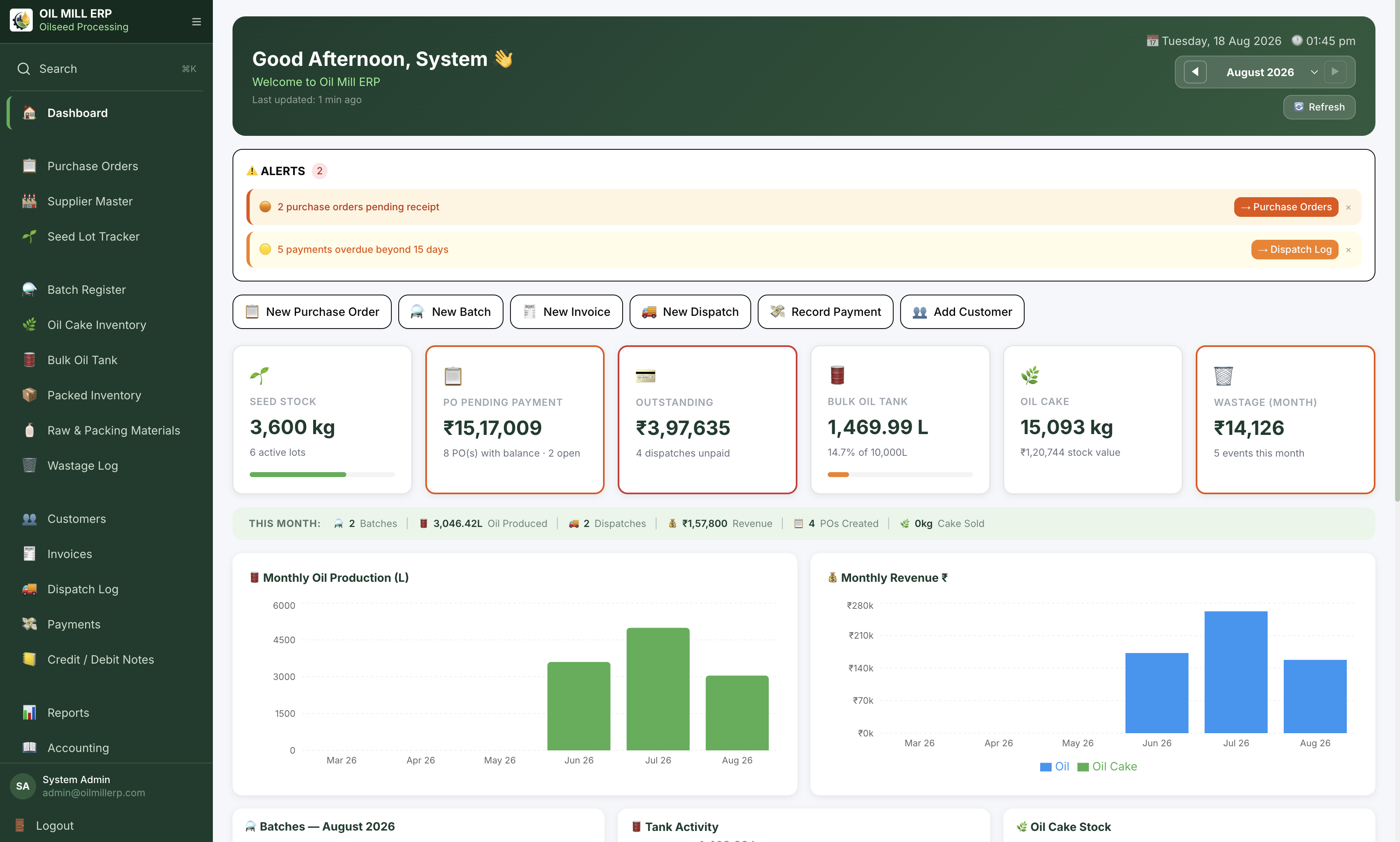
One dashboard brings alerts, seed stock, outstanding payments, tank balance, oil cake, wastage and monthly trends into view.
What you see is what your team uses
Screens contain sample mill data and verified product capabilities—not staged customer results.
Interactive dashboard preview
Workflow notes
Follow the record, not another spreadsheet.
This walkthrough uses sample mill data to explain the product. It does not present an unverified customer claim or promise a specific performance result.
Start with the supplier load
Create the purchase order, record the quantity received and keep the supplier balance attached to the same transaction. The received seed is available as a traceable lot for production.
Convert the lot into measurable output
Select the seed lot when a batch starts. OilMill ERP records seed consumed, net oil produced, oil cake, wastage and the operator, then updates the bulk tank and by-product stock.
Pack, bill, dispatch and collect
Move oil from the tank into pack-size inventory, create the GST invoice, link the dispatch and record the customer receipt. The dashboard, stock ledgers, outstanding and accounting reports remain connected throughout the flow.